
Appearance
Improving your profile
Your profile is the engine behind ResearchConnectX. The AI uses it to match you with relevant projects, conferences and surveys — so the more complete it is, the better your matches.
Your profile score
The Profile Score widget on your dashboard shows how complete your profile is, along with a personalised checklist of what to add next — for example linking your ORCID profile, connecting OpenAlex, adding research interests, or adding your institution.
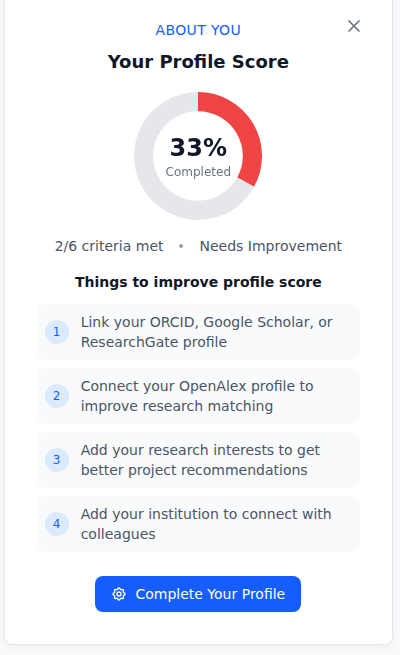
Click Complete Your Profile on the widget to jump straight to the right place.
The settings hub
Open Settings from your account menu (top right). It's organised into four sections, each with a summary card and a Configure button:
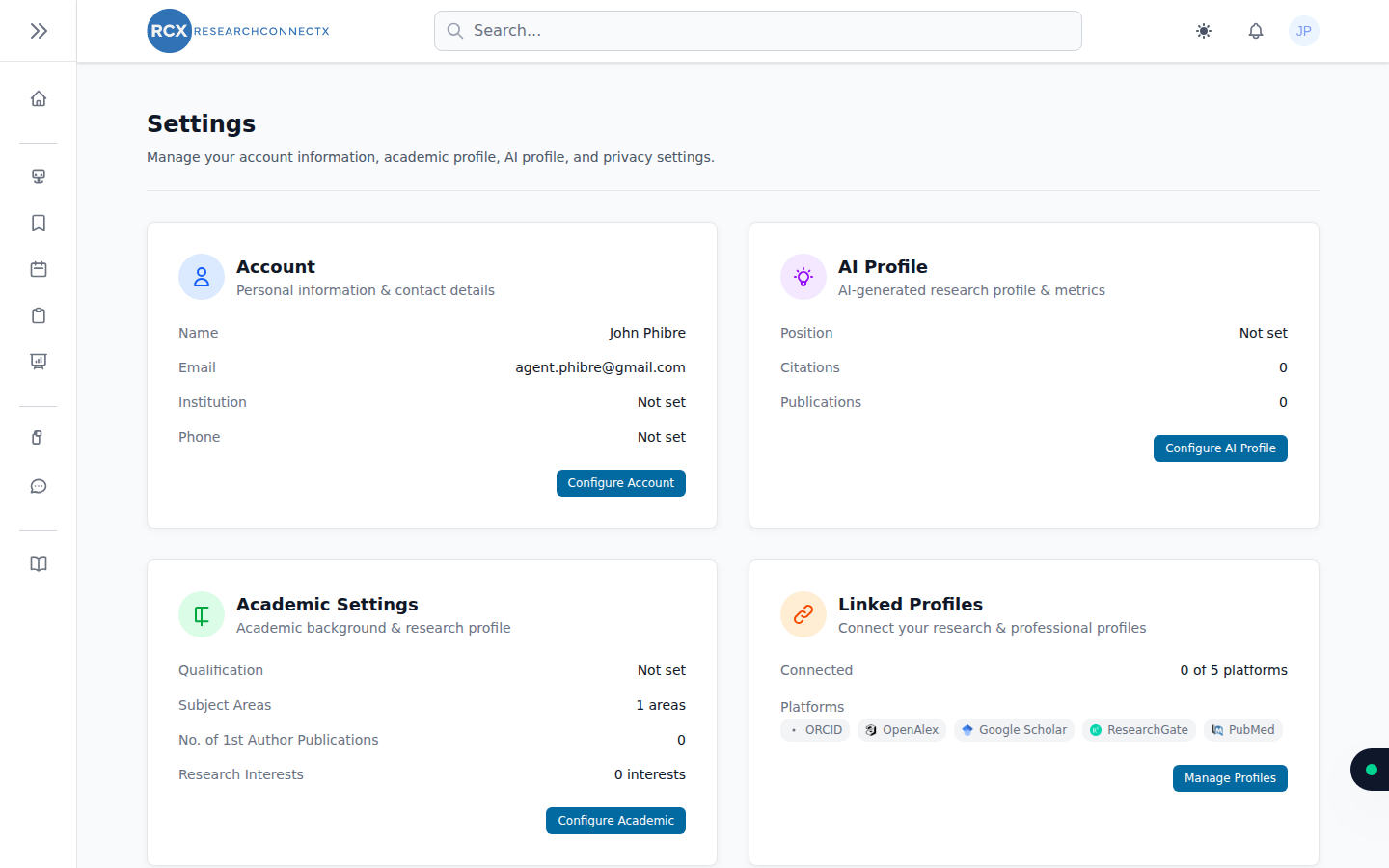
Account
Your personal details: profile photo, name, title, email, recovery email, phone, date of birth, institution and country.
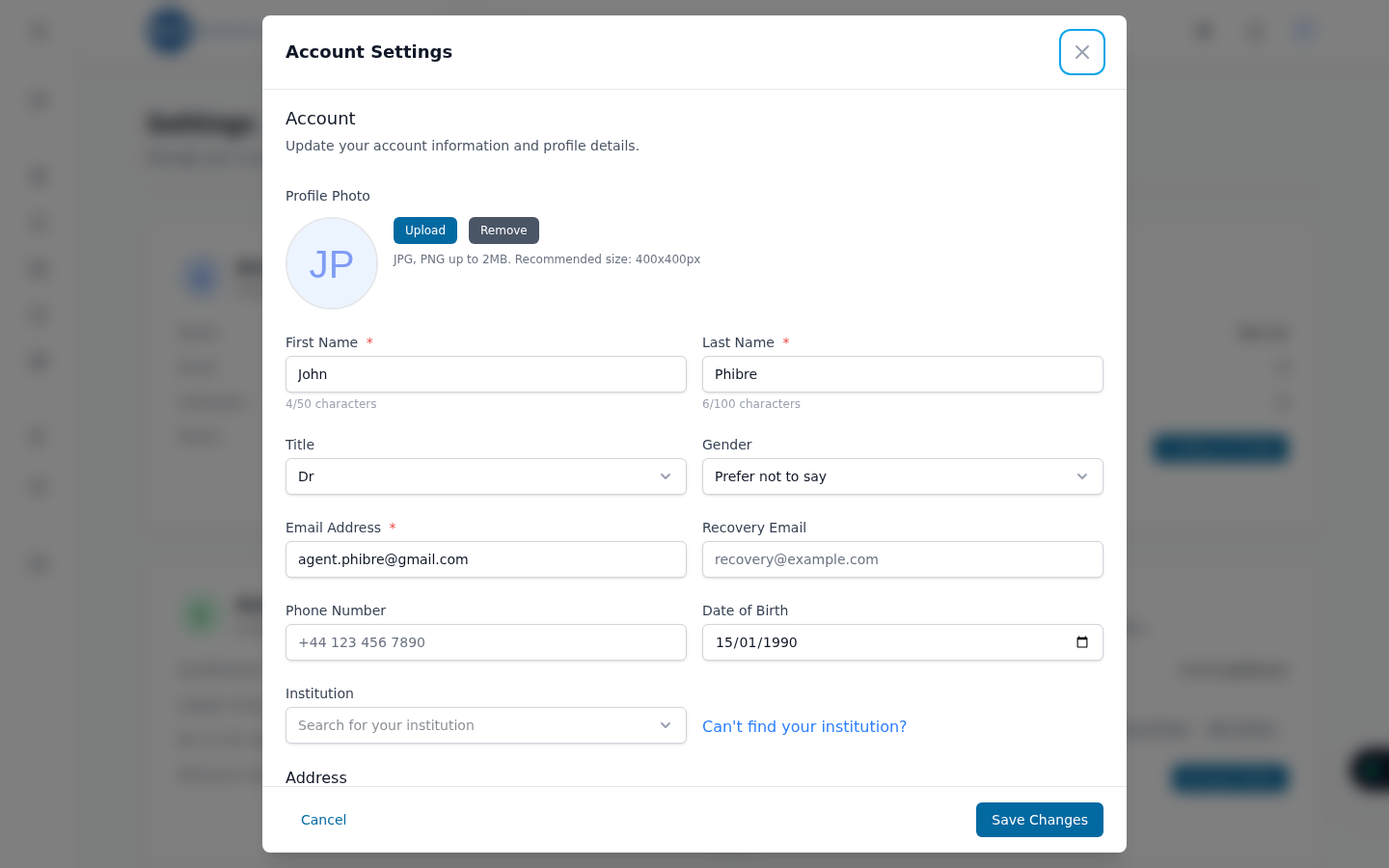
- Institution — search the internal directory or thousands of institutions via OpenAlex so you're linked to the right organisation.
- Country — used to distinguish local vs international conference matches.
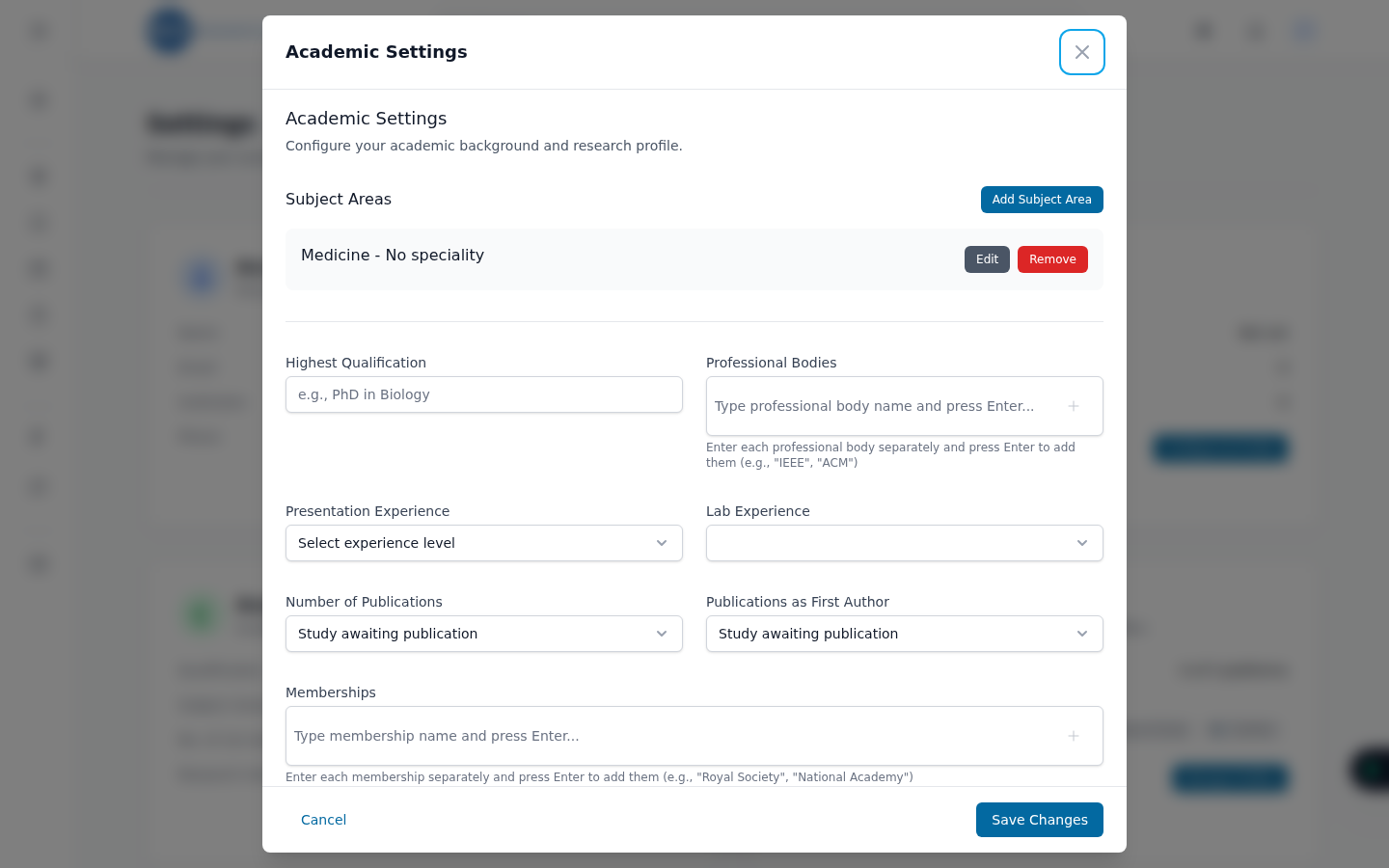
Academic settings
Your research background — the detail that powers matching:
- Subject areas — add your areas, grades and specialities (the same hierarchy as the onboarding wizard)
- Highest qualification and professional bodies
- Experience — presentation and lab experience levels
- Publication counts — including first-author publications
- Research interests and affiliations
AI profile
An AI-generated summary of your research identity — your introduction, current position and citation metrics. See Your AI profile.
Linked profiles
Connections to OpenAlex, ORCID, Google Scholar, ResearchGate and PubMed. See Linking external profiles.
Related guides
- Managing your publications
- Account security — password, two-factor authentication, sessions
- Smart Matches — put your improved profile to work