
Appearance
Tasks & kanban board
Every project has a kanban board — a visual way to track work as it moves from to-do to done. Open a project and choose the Tasks tab, then Open Kanban Board.
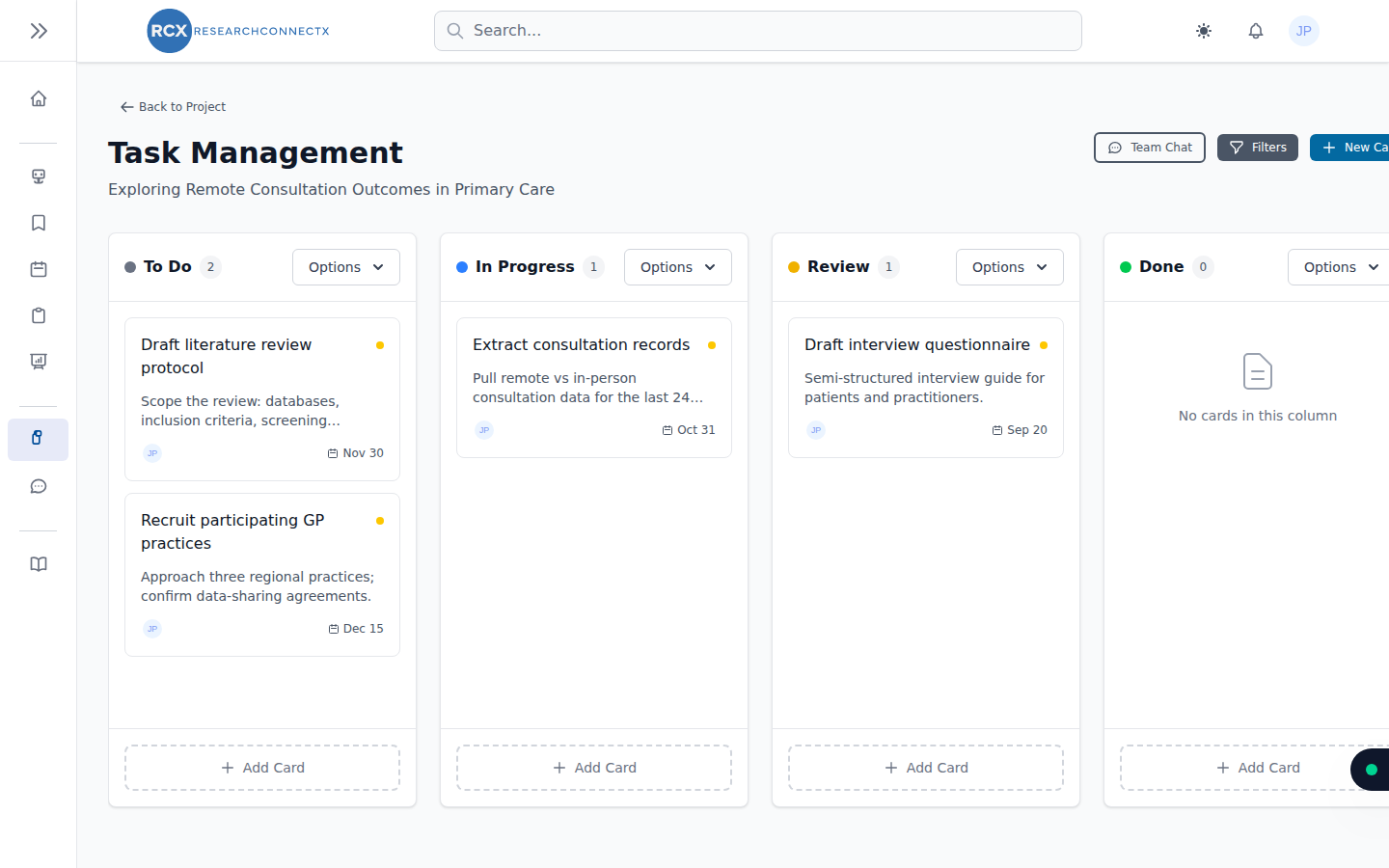
The board
Tasks live as cards in columns (for example: To Do, In Progress, Done).
- Move a card — drag and drop it into another column
- Add a card — click the add button in the relevant column
- Open a card — click it to see full details, edit, or delete it
Project leads can also customise the columns to fit the team's workflow.
Card details
Opening a card lets you:
- Edit the title and description
- Set start and due dates (shown on the card, e.g. "Nov 30")
- Comment — discuss the task with the team, right on the card
- Track progress and status
Tasks on your calendar
You can add a task to your calendar — useful for deadlines and milestones. Project events and tasks appear alongside your personal and conference events.
TIP
The kanban board is per project. Your personal to-dos across all projects are best tracked via the calendar and your notifications.