
Appearance
Your AI profile
ResearchConnectX uses AI to build a research profile for you from your linked accounts and publications. It powers your matches and helps other researchers understand what you do at a glance.
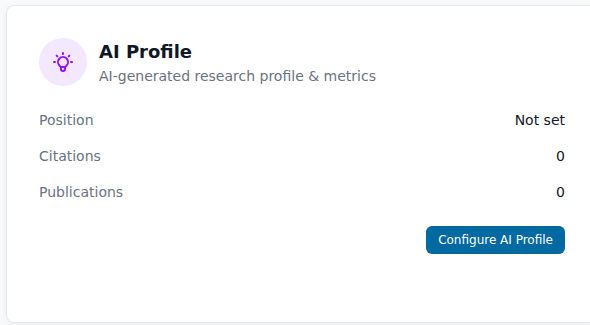
What it contains
- Introduction — a short, AI-written summary of your research focus
- Current position — your role, drawn from your linked profiles
- Citation metrics — total citations, h-index and i10 index
- Publications count — how many publications are linked to you
You'll find it under Settings → AI Profile → Configure AI Profile.
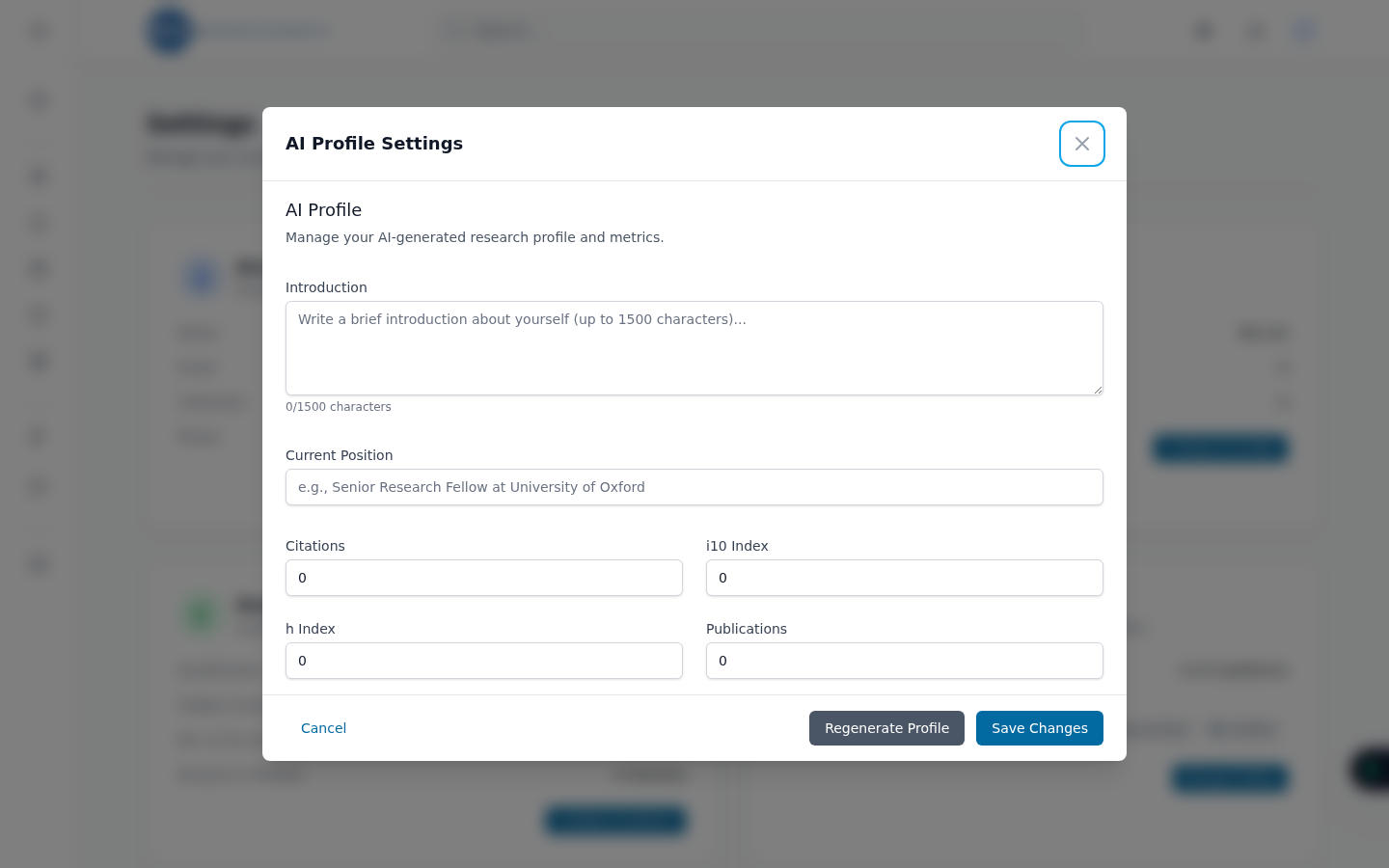
Generating your profile
The AI profile is generated from the data you've connected — primarily your OpenAlex author profile and publications. If the card shows "Not set", the AI doesn't have enough to work with yet:
- Link your OpenAlex profile (or another research profile).
- Give it a little time — aggregation runs in the background.
- Click Regenerate AI Profile to rebuild it from the latest data.
Editing and regenerating
You're always in control of the final text:
- Edit any part of the AI profile and click Save — your edits are kept.
- Regenerate AI Profile rebuilds the profile from scratch using your latest linked data. Regenerating replaces the current content, so copy out anything you've hand-written first.
Better in, better out
The quality of your AI profile directly reflects your linked data. If the introduction feels generic, add more publications and research interests first, then regenerate.